
Buying a Laptop in Nepal (2026): The Only Guide You'll Ever Need
This Nepal-focused guide covers processors (Intel Core Ultra, AMD Ryzen AI, Apple M-series), RAM, storage, displays, battery life, and brand recommendations tailored for students, professionals, and gamers.

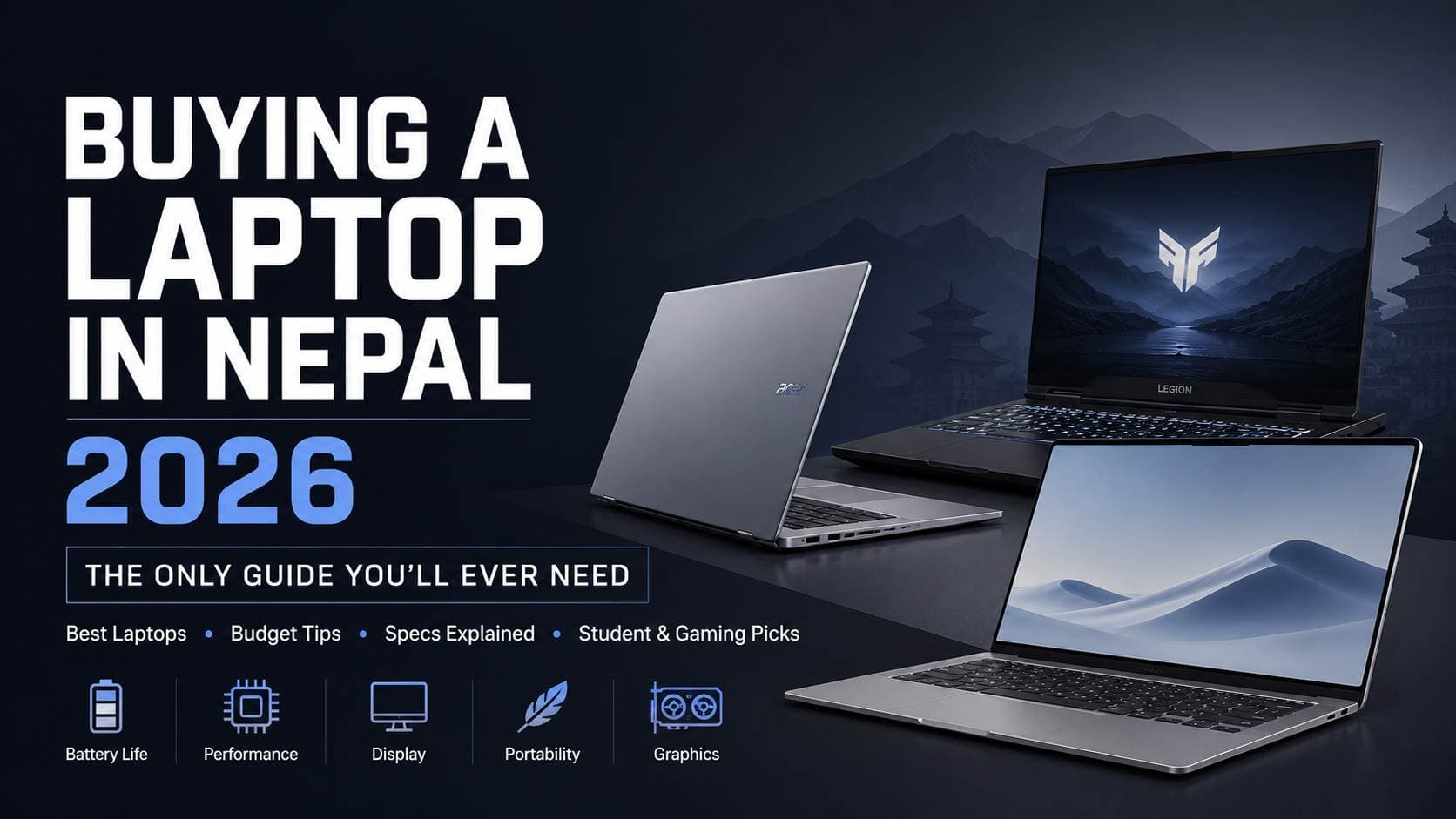
Buying a laptop in Nepal is more important than ever. From online learning and freelancing to coding, content creation, AI tools, and remote work, the right laptop can significantly improve productivity and everyday efficiency. However, choosing a laptop is no longer just about comparing specifications. Factors such as battery life, thermal performance, portability, upgradeability, display quality, and long-term reliability often have a bigger impact on the overall experience.
Unlike generic buying guides, this Nepal-focused laptop buying guide explains what actually matters before making a purchase. We cover processors, RAM, storage, graphics cards, displays, battery life, AI-ready hardware, and real-world performance in simple terms, helping you avoid common buying mistakes and spend your budget wisely.
Whether you're a student, programmer, engineer, designer, gamer, business professional, or casual user, this guide will help you understand how to choose the right laptop for your needs, usage patterns, and budget. If you're comparing laptop prices in Nepal or looking for the best laptop in Nepal for 2026, this guide provides practical advice to help you make a confident buying decision.
Blog Highlights
This comprehensive laptop buying guide covers everything you need to know before purchasing a laptop in Nepal in 2026:
Understanding the latest laptop price ranges in Nepal and identifying the best value at every budget
Choosing the right processor, including Intel Core Ultra, AMD Ryzen AI, Apple M-series, and Snapdragon X platforms
Determining how much RAM and SSD storage you actually need for studying, coding, office work, gaming, and content creation
Understanding modern display technologies, including OLED vs IPS, refresh rates, brightness, colour accuracy, and screen resolutions
Learning when a dedicated graphics card is necessary and how NVIDIA RTX GPUs compare to integrated graphics
Evaluating real-world battery life, portability, build quality, and future-proofing before buying
Understanding thermal performance and cooling systems, especially for Nepal's climate and everyday usage conditions
Identifying the ports, connectivity options, and upgrade paths that matter most in 2026
Honest insights into leading laptop brands available in Nepal, including ASUS, Lenovo, Dell, HP, Acer, Apple, MSI, and more
Laptop recommendations tailored for students, programmers, engineers, designers, gamers, creators, business users, and professionals
Understanding authorized distributors, official resellers, and grey-market laptops, including warranty differences, after-sales support, and potential risks buyers should be aware of
EMI and financing options available in Nepal and how laptop installment plans work
Common laptop buying mistakes that can lead to poor performance, limited upgradeability, or unnecessary spending
A practical pre-purchase inspection checklist to help you verify specifications, warranty coverage, battery health, and product authenticity before making a purchase
Whether you're buying your first laptop or upgrading to a more powerful machine, this guide will help you make an informed, future-proof decision and get the best value for your budget in Nepal.
Nepal's Laptop Market in 2026: What Buyers Need to Know
Laptop demand in Nepal continues to grow as more students, professionals, freelancers, and remote workers rely on digital tools every day. Programs such as BCA, BIT, BSc CSIT, Engineering, and BBA increasingly require personal laptops, while freelancing platforms like Upwork and Fiverr have further increased demand for capable devices.
Battery life remains especially important in Nepal. Even though electricity supply has improved, occasional power interruptions still occur, making efficient laptops with longer battery backup far more practical for students and professionals. Thermal performance is equally important, particularly in warmer regions where temperatures can exceed 40°C during summer.
Typical Laptop Budgets in Nepal
Price Range | Typical Buyers | Recommended Examples |
Under Rs 60,000 | First-time buyers, basic students | Lenovo IdeaPad Slim 3, entry-level budget laptops |
Rs60,000–90,000 | College students, office users | Acer Aspire Lite 14 (Rs 66,999), ASUS Vivobook Go 15 (Rs 73,000), HP Notebook 15 (Rs 73,999) |
Rs90,000–150,000 | Developers, professionals, multitaskers | Acer Aspire 14 AI (Rs 109,999), ASUS Vivobook 14 (Rs 138,999), Acer Swift Lite 14 (Rs 140,999) |
For most buyers in Nepal, laptops have effectively replaced desktops. The combination of portability, built-in battery backup, Wi-Fi connectivity, and the ability to move between home, hostel, campus, and office makes a laptop the more practical investment for modern students and professionals.
Authorized Reseller vs Grey Market: Why It Matters
When comparing laptop price in Nepal, don't focus only on the price tag. Where the laptop comes from is equally important.
Authorized Reseller | Grey Market Seller |
Officially imported through authorized distributors | Imported through unofficial channels |
Genuine manufacturer warranty | Usually seller warranty only |
Access to authorized service centers | No official service network |
Genuine replacement parts | Parts availability may vary |
Genuine VAT bill provided | VAT bill may not always be available |
Easier warranty claims and verification | Support depends on the seller |
An authorized laptop follows an official supply chain from the manufacturer to the national distributor and then to the reseller. If a hardware issue occurs, the laptop can be serviced through the brand's authorized service network using genuine parts and official warranty procedures.
By contrast, grey-market laptops may look identical externally, but warranty support often depends entirely on the seller. Product history, warranty eligibility, and hardware authenticity can be more difficult to verify.
Hukut Store is an authorized reseller for the laptop brands it carries, offering genuine products, official warranty coverage, authentic VAT bills, and manufacturer-backed after-sales support. Whether you're buying a Lenovo, ASUS, Acer, Dell, HP, or Apple laptop, you can shop with confidence knowing you're purchasing through an official channel rather than an unofficial grey-market source.
Platform: macOS vs Windows vs Linux
Before you look at RAM, storage, or processors, you should first choose an operating system because it immediately narrows down your laptop options. Each platform has its own strengths, software compatibility, and limitations.
macOS is only available on Apple MacBooks. It offers excellent battery life thanks to Apple M-series chips, premium build quality, and seamless integration with iPhones and iPads.
However, some Nepali government portals, accounting tools like Tally, and certain banking platforms work more reliably on Windows. MacBooks also start at over Rs 100,000, making them less accessible for many buyers. Best suited for designers, video editors, developers, and users already invested in the Apple ecosystem.
Windows remains the safest choice for most buyers in Nepal. It supports virtually all local software, including government portals, banking applications, accounting tools, and educational software. The biggest advantage is variety Windows laptops range from affordable options like the Acer Aspire Lite 14 and ASUS Vivobook Go 15 to premium devices such as the ASUS Zenbook 14 OLED, Lenovo ThinkPad E14 Gen 7, and ROG Zephyrus G16. It is the best choice for students, office users, accountants, professionals, and gamers.
Linux is free, flexible, and extremely powerful, but it requires technical knowledge. Distributions like Ubuntu 24 LTS and Fedora are popular among developers and IT students. However, software compatibility can be challenging, as applications such as Tally and some banking tools do not run natively. Linux is best for programmers, system administrators, and users comfortable troubleshooting hardware and software issues.
Quick OS Recommendation
Your Situation | Recommended OS |
Use Tally, IRD portal, or banking software | Windows |
Student, office work, gaming | Windows |
Developer using terminal and VS Code | Windows or Linux |
Own an iPhone and iPad, budget above Rs 100,000 | macOS |
CS/IT student comfortable with Linux | Linux |
Processor Guide: The Most Important Laptop Component
The processor is the one component you usually cannot upgrade later. RAM and storage may sometimes be expandable, but the CPU remains fixed for the life of the laptop. Choosing the right processor ensures your laptop remains fast and useful for years.
Why TDP Matters More Than Most Buyers Realize
TDP (Thermal Design Power) refers to how much heat a processor generates. This becomes especially important in Nepal, where summer temperatures can already be quite warm.
U-Series (15–28W): Better battery life, quieter operation, ideal for students and office users.
P-Series (28W): Balanced performance and efficiency.
H-Series (45W): Higher performance for editing and gaming, but generates more heat.
HX-Series (55W+): Maximum performance for workstations and gaming laptops, with higher heat output and lower battery life.
For most buyers, a modern U-series or P-series processor offers the best balance of performance and battery life.
Apple M-Series Processors
Apple's M-series chips remain among the most efficient laptop processors available.
Chip | Recommendation |
M1 | Still capable for everyday use |
M2 | Best value for most buyers |
M3 | Better graphics and efficiency |
M4 | Premium performance, expensive |
MacBook Air models with M2 and M3 chips are currently the most practical options in Nepal, delivering exceptional battery life and excellent performance for students and professionals.
Intel Core Ultra Processors
Intel's latest Core Ultra 200 Series processors are currently the safest Intel recommendation. They offer strong performance, good efficiency, and include a dedicated NPU for AI-related tasks.
Generation | Example | Recommendation |
Core Ultra 200 | Ultra 5 215H, Ultra 7 265H | Buy |
Core Ultra 100 | Ultra 5 125H, Ultra 7 155H | Good value |
13th Gen Core | i5-1335U, i7-1360P | Buy only if discounted |
12th Gen Core | i5-1235U | Generally avoid |
Laptops such as the ASUS Zenbook 14 OLED, Acer Aspire 14 AI, and Lenovo ThinkBook 14 G7 commonly feature these processors.
AMD Ryzen AI 300 Series
AMD's Ryzen AI processors have become extremely competitive, often delivering excellent performance and stronger integrated graphics compared to Intel alternatives.
The most attractive options include:
Ryzen AI 7 350
Ryzen AI 9 365
A major advantage is the integrated Radeon 890M GPU, which handles photo editing, content creation, and even light gaming much better than most integrated graphics solutions. Laptops like the ASUS Vivobook S16 OLED, Lenovo IdeaPad, and newer HP models increasingly use Ryzen AI processors.
Qualcomm Snapdragon X
Snapdragon X processors offer impressive battery life, silent operation, and efficient performance. However, compatibility with older Windows applications remains a concern, particularly for local accounting and banking software.
At present, Snapdragon laptops are best suited for users whose work primarily involves web browsers, Microsoft 365, online meetings, and productivity tasks.
Processor Comparison for Nepal Buyers
Processor | Battery Life | Performance | Heat | Best For |
Apple M4 | Excellent | Excellent | Very Low | Creators & developers |
Apple M2/M3 | Excellent | Very Good | Very Low | Students & professionals |
Snapdragon X Elite | Excellent | Very Good | Very Low | Productivity users |
Intel Core Ultra 7 (U) | Very Good | Very Good | Low | Students & office users |
AMD Ryzen AI 7 (U) | Very Good | Very Good | Low | Students & professionals |
Intel Core Ultra 7 (H) | Good | Excellent | High | Editing & power users |
AMD Ryzen AI 9 (H) | Good | Excellent | High | Gaming & heavy workloads |
For most buyers in Nepal, Intel Core Ultra 5/7, AMD Ryzen AI 7, or Apple M2/M3 processors currently offer the best balance of performance, efficiency, battery life, and long-term value.
Understanding Processor Scores (Benchmark Scores)
Processor benchmark scores help compare raw CPU performance. While benchmarks do not tell the entire story, they provide a useful indication of how a processor handles multitasking, coding, video editing, virtual machines, AI workloads, and content creation.
As a general rule, higher scores indicate better performance, although cooling, RAM capacity, SSD speed, and power limits also affect real-world results.
Approximate CPU Performance Ranking
Processor | Cinebench R23 multi-core | Performance tier | Best for |
Athlon 7120U | ~2,000–3,000 | Entry level | Basic browsing & office |
Ryzen 3 7320U | ~4,800–5,200 | Entry level | School & basic productivity |
Apple M2 | ~8,500–9,000 | High efficiency | Students & professionals |
Ryzen 5 7530U | ~9,000–11,000 | Mainstream | Students & multitasking |
Corei5-1335U | ~10,500–13,000 | Mainstream | Office & productivity |
Apple M3 | ~11,000–13,500 | High efficiency | Productivity & creative work |
Core Ultra 5 225U | ~13,000–16,000 | Upper mid-range | Coding & professional use |
Apple M4 | ~14,000–17,000 | Premium efficiency | Professional users |
Ryzen AI 7350 | ~14,000–17,900 | High performance | Programming & AI workflows |
Core Ultra 7 255H | ~16,000–22,500 | Creator class | Editing & development |
Ryzen AI 9365 | ~11,500–20,650 | Enthusiast | AI, rendering & creation |
Core Ultra 9 275HX | ~30,700–41,000 | Workstation class | Gaming & heavy workloads |
RAM: How Much Do You Actually Need?
RAM stores the data your processor actively uses. More RAM allows more browser tabs, applications, virtual machines, and background processes to remain open without slowing down the system. In 2026, 16GB RAM should be considered the practical minimum for most buyers, especially as Windows 11, Chrome, Zoom, AI tools, and productivity applications consume more memory than before.
Recommended RAM Capacity
Use Case | Minimum | Recommended |
Basic Student | 8GB | 16GB |
Programmer / Developer | 16GB | 32GB |
Graphic Designer | 16GB | 32GB |
Video Editor | 16GB | 32GB+ |
Gamer | 16GB | 16GB DDR5 |
Accountant (Tally, Excel) | 8GB | 16GB |
RAM Technologies Explained
Type | Speed | Common Usage | Notes |
DDR5 | Higher bandwidth | Performance laptops | Upgradeable in many models |
LPDDR5 X | Higher efficiency + speed | Ultrabooks & AI laptops | Usually soldered |
LPDDR4 X | Older generation | Budget laptops | Avoid if possible |
A dual-channel configuration such as 2×8GB DDR5 delivers noticeably better performance than 1×16GB because memory bandwidth doubles. Also check whether RAM is soldered or upgradeable. Many premium laptops including ultrabooks permanently solder LPDDR5X memory to the motherboard, preventing future upgrades. Always verify this before purchasing.
Storage: SSD Types and What You Should Demand
Storage determines boot speed, software loading times, file transfers, and overall responsiveness. For a modern laptop in 2026, an SSD is mandatory. Traditional hard drives cannot keep up with modern operating systems and applications.
SSD Technology Comparison
Storage Type | Typical Read Speed | Common Usage | Recommendation |
NVMe PCIe Gen 4 | 5,000–7,000+ MB/s | Modern premium laptops | Best choice |
NVMe PCIe Gen 3 | 2,000–3,500 MB/s | Mainstream laptops | Excellent value |
SATA SSD | 500–550 MB/s | Budget systems | Acceptable |
HDD | 80–150 MB/s | Older laptops | Avoid |
Recommended Storage Capacity
Capacity | Recommendation |
256GB | Too limited for most users |
512GB | Recommended minimum |
1TB | Best balance for developers and professionals |
2TB | Video editors and gamers |
Beyond capacity, check whether the laptop includes an additional M.2 SSD slot. Many Lenovo IdeaPad, HP Pavilion, and performance-focused laptops allow a second NVMe SSD to be installed later, providing a low-cost upgrade path. A 1TB PCIe Gen 3 NVMe SSD typically costs around Rs 7,000–10,000 in Nepal. When purchasing a second-hand laptop, run CrystalDiskInfo and confirm the SSD health status shows "Good" before buying.
Display: Panel, Resolution, Refresh Rate & Color Matter More Than Most Buyers Think
You interact with your laptop display every single day, making it one of the most important components to evaluate. A faster processor is useful, but poor brightness, weak colors, or a low-quality panel can affect your experience every time you study, code, edit, watch videos, or browse the web.
Panel Type: OLED vs IPS vs TN vs VA
Panel | Contrast | Colors | Viewing Angles | Battery Impact | Burn-In Risk | Best For |
OLED | Excellent | Excellent | Excellent | Higher on bright content | Yes | Designers, creators, entertainment |
IPS | Very Good | Good | Good | Moderate | No | Most users |
TN | Poor | Poor | Poor | Low | No | Budget-only systems |
VA | Good | Good | Acceptable | Moderate | No | Less common laptops |
OLED panels offer pixel-level lighting, producing perfect blacks, stronger HDR performance, wider color gamuts, and superior contrast. However, displaying bright white backgrounds can consume more power, and long-term image retention (burn-in) remains a genuine consideration.
IPS panels remain the sweet spot for most buyers because they provide good color reproduction, stable viewing angles, reasonable battery efficiency, and no burn-in concerns.
TN panels should generally be avoided in 2026 due to weak color accuracy and poor viewing angles, while VA panels offer decent contrast but are relatively uncommon in modern laptops.
Resolution: How Sharp Should Your Screen Be?
Resolution | Best Screen Size | Notes |
FHD (1920×1080) | Up to 15.6" | Minimum acceptable in 2026 |
QHD (2560×1440) | 14–16" | Noticeably sharper text and images |
2.8K / 3K | 14–16" OLED laptops | Excellent clarity and detail |
4K | 15"+ | Outstanding sharpness but higher battery drain |
For most students and office users, FHD (1080p) remains perfectly usable. However, QHD, 2.8K, and 3K OLED displays deliver noticeably sharper text, cleaner code, and improved image quality, particularly on premium laptops such as the ASUS Zenbook OLED series and creator-focused machines.
While 4K sounds impressive, the visual improvement on smaller laptop screens is often difficult to justify compared to the additional battery consumption.
Refresh Rate: Not Just for Gamers
Refresh Rate | Experience | Best For |
60Hz | Standard smoothness | Documents, browsing, Zoom |
90Hz | Noticeably smoother scrolling | Productivity |
120Hz | Very smooth animations | Mixed use & gaming |
144Hz / 165Hz+ | Gaming standard | Competitive gaming |
Refresh rate determines how many times the display updates each second.
60Hz remains completely acceptable for students, office users, and video consumption.
90Hz improves scrolling smoothness.
120Hz provides noticeably smoother navigation, multitasking, and casual gaming.
144Hz–240Hz displays are primarily targeted at gaming laptops.
For Nepalese buyers, anyone planning even occasional gaming should ideally target 120Hz or higher.
Brightness (Nits): The Most Overlooked Laptop Specification
Brightness | Recommended Usage |
300 nits | Indoor environments |
400+ nits | Near windows and bright rooms |
500+ nits | Outdoor visibility |
600+ nits | Premium OLED and Mini-LED displays |
Brightness becomes especially important in Nepal because many homes, colleges, and offices receive strong natural sunlight.
A 300-nit display is sufficient for basic indoor work, but buyers frequently working near windows should target 400 nits or higher. Premium OLED and Mini-LED panels often exceed 600 nits peak brightness, significantly improving HDR content and outdoor visibility.
Color Gamut: Who Actually Needs It?
Color Gamut | Coverage | Best For |
100% sRGB | Standard color space | Students, coders, office users |
70–80% DCI-P3 | Expanded color range | Photographers, content creators |
90%+ DCI-P3 | Professional grade | Editors, color grading |
Most users only require 100% sRGB coverage, which delivers accurate everyday colors.
Creators working with photography, video editing, social media content, and design projects benefit from wider DCI-P3 coverage, while professional editors should ideally target displays offering 90%+ DCI-P3.
Aspect Ratio: Small Difference, Big Productivity Impact
Aspect Ratio | Advantages | Best For |
16:9 | Standard format | Gaming, movies |
16:10 | More vertical space | Coding, documents, productivity |
3:2 | Maximum vertical workspace | Productivity-focused users |
The newer 16:10 aspect ratio is highly recommended because it displays more lines of code, spreadsheet rows, web pages, and documents without increasing laptop size.
Anti-Glare vs Glossy Displays
Anti-glare (matte) displays reduce reflections and work better in Nepal's bright indoor environments.
Glossy displays produce richer colors and stronger contrast but can become distracting near windows and strong lighting sources.
For students and office workers, anti-glare screens are generally the safer choice.
GPU: Do You Actually Need a Dedicated Graphics Card?
Not every buyer requires dedicated graphics. Modern integrated GPUs have improved dramatically and can now handle many workloads that previously required dedicated graphics cards.
Integrated Graphics in 2026
GPU | Capabilities |
Intel Arc (Core Ultra) | 4K playback, Photoshop, light gaming, Valorant ~60 FPS |
AMD Radeon 890M (Ryzen AI 300) | GTA V, PUBG, Valorant at playable settings |
Apple M-Series GPU | Excellent creative performance and video exports |
Intel Arc integrated graphics found in Core Ultra processors comfortably handle office work, media editing, multiple displays, and casual gaming.
AMD Radeon 890M, available in Ryzen AI 300 processors, is currently one of the strongest integrated GPUs available and can run games such as GTA V, PUBG, and Valorant at low-to-medium settings.
Apple's integrated GPU architecture remains highly efficient for photo editing, video production, and creative workloads.
NVIDIA RTX Graphics Tiers
GPU | Real-World Performance | Battery Impact | Best For |
RTX 4050 | Valorant 144FPS+, GTA V High 60FPS | Moderate | Esports & casual AAA |
RTX 4060 | Valorant 200FPS+, FC 25 High | Moderate-Hig h | Mainstream gaming |
RTX 4070 | Most games High/Ultra 100FPS+ | High | Enthusiast gaming |
RTX 4080 /4090 | Maximum settings | Very High | Gaming & professional creation |
The RTX 4050 is sufficient for most gamers, while the RTX 4060 remains the current sweet spot for performance and value. RTX 4070 and above target enthusiasts, creators, and users running demanding rendering workloads.
GPU TGP: The Specification Most Buyers Ignore
TGP (Total Graphics Power) determines how much electrical power the laptop allows the GPU to use.
For example:
RTX 4060 @ 60W
RTX 4060 @ 115W
Although both use the same GPU name, the 115W version can perform dramatically better because it operates at higher clock speeds.
Always verify GPU TGP before purchasing a gaming laptop.
MUX Switch Explained
A MUX Switch allows the dedicated GPU to connect directly to the display instead of routing rendered frames through the integrated graphics processor.
Benefits include:
10–20% higher gaming performance
Lower latency
Better FPS utilization
Improved competitive gaming responsiveness
Most gaming laptops above Rs 150,000 now include a MUX switch, but it should always be confirmed before purchase.
AMD Radeon Dedicated Graphics
AMD's Radeon RX 7600M and RX 7700S are becoming increasingly available in Nepal. They compete closely with RTX 4060-class laptops and often provide excellent value, making them a worthwhile alternative for buyers seeking strong gaming and creative performance without focusing solely on NVIDIA options.
Battery Life: The Most Important Laptop Specification for Nepal
For many buyers in Nepal, battery life is not simply a convenience feature it is a safety net. Although electricity availability has improved significantly, power interruptions still occur, and many students, freelancers, and professionals work from hostels, campuses, cafés, libraries, and co-working spaces where charging access is not always guaranteed. A laptop that lasts only 4 hours can quickly become a limitation during a full day of classes or work.
How to Read Battery Claims Correctly
Laptop manufacturers usually advertise battery life under ideal conditions: low screen brightness, Wi-Fi disabled, minimal background tasks, and light workloads. Real-world battery life is often 30–50% lower than these marketing figures.
Instead of focusing only on advertised hours, look at the battery capacity measured in Wh (Watt-hours). This represents the actual energy stored inside the battery and is often a more reliable indicator of endurance.
Battery Capacity Guide
Battery Capacity | Typical Real-World Battery Life | Recommendation |
Under 40Wh | 3–5 hours | Avoid if possible |
40–55Wh | 5–7 hours | Acceptable for mostly plugged-in use |
55–70Wh | 7–10 hours | Good for most users |
70–90Wh | 10–14 hours | Excellent all-day usage |
90Wh+ | 14+ hours (efficient chips) | Best for travel and mobility |
For most students and professionals, a laptop with at least 55Wh–70Wh battery capacity provides a far more dependable experience.
Processor Efficiency Matters As Much As Battery Size
Battery life depends on both battery capacity and processor efficiency. Modern chip architectures have dramatically improved power consumption compared to older generations.
Real-World Battery Ranking by Processor Family
Processor Family | Typical Battery Life | Notes |
Apple M-Series | 12–18 Hours | Industry-leading efficiency |
Qualcomm Snapdragon X | 12–15 Hours | Excellent battery, some software compatibility limitations |
AMD Ryzen U-Series | 8–12 Hours | Excellent Windows balance |
Intel Core Ultra U-Series | 7–11 Hours | Efficient modern Windows laptops |
AMD Ryzen H-Series | 5–8 Hours | Prioritizes performance |
Intel Core Ultra H-Series | 4–7 Hours | Performance-focused systems |
Intel/AMD HX-Series | 2–5 Hours | Gaming and workstation laptops |
Apple's M2, M3, and M4 chips remain among the most efficient processors available today. On Windows machines, AMD Ryzen U-series, Ryzen AI processors, and Intel Core Ultra
U-series currently offer the best balance between performance and battery life.
Gaming laptops equipped with H-series or HX-series processors sacrifice endurance to deliver higher sustained performance and should generally be expected to remain plugged in during demanding workloads.
USB-C Fast Charging Is Becoming Essential
Modern laptops increasingly support USB-C Power Delivery (USB-PD) charging, allowing users to charge through universal USB-C adapters rather than proprietary chargers.
Fast Charging Expectations
Charger Power | Typical Charging Time |
65W USB-C PD | Approximately 1.5 hours |
100W USB-C PD | Under 2 hours for larger laptops |
Quality GaN (Gallium Nitride) chargers, commonly available in Nepal for approximately Rs 2,500–5,000, provide compact and efficient charging solutions for travel and everyday use.
However, buyers should always verify whether a laptop supports USB-C charging, as many budget laptops still rely exclusively on traditional barrel-style charging adapters.
Battery Health Tips for Long-Term Ownership
Lithium-ion batteries naturally degrade over time, but proper charging habits can significantly extend lifespan.
Enable Battery Charge Limit (typically 80%) when available. ASUS, Lenovo, Acer, Dell, and HP often provide this feature through their software utilities.
Avoid regularly draining the battery to 0%, as deep discharges accelerate battery wear.
Avoid leaving the battery at 100% continuously for extended periods.
During prolonged power outage seasons, allow moderate discharge cycles rather than constant charging.
For monitoring battery condition, free utilities such as BatteryInfoView can display:
Current battery capacity
Original design capacity
Wear percentage
Long-term battery health trends
This provides a simple way to track degradation and determine when replacement may eventually be necessary.
Build Quality, Weight & Keyboard: The Specifications You Feel Every Day
Benchmark numbers do not tell you how a laptop feels after carrying it through Kathmandu traffic, commuting between college and hostel, or typing assignments for several hours. Build quality, weight, keyboard comfort, and durability often have a greater impact on long-term ownership than many buyers expect.
Laptop Chassis Materials Explained
The material used in the laptop body affects durability, heat dissipation, portability, and overall feel.
Common Laptop Materials
Material | Durabilit y | Heat Dissipation | Weight | Common Usage |
Aluminum Alloy | Excellent | Good | Light | Premium laptops |
Magnesium Alloy | Very Good | Good | Very Light | Business ultrabooks |
Polycarbonate (Plastic) | Good | Limited | Heavier | Budget laptops |
Carbon Fiber | Excellent | Good | Extremely Light | Ultra-premium systems |
Aluminum alloy remains the most common premium material, providing excellent rigidity and better heat transfer than plastic.
Magnesium alloy offers similar strength while reducing overall weight, making it popular in business-focused laptops.
Polycarbonate chassis remain common in affordable models such as budget student laptops. While durable enough for normal use, they generally feel less premium and retain heat more easily.
Carbon fiber is found primarily in premium business devices and offers one of the best strength-to-weight ratios available.
Weight Matters More Than Buyers Expect
Laptop weight becomes increasingly important when carrying a device daily between home, office, campus, and hostel.
Weight Categories
Weight | Category | Real-World Experience |
Under 1.2kg | Featherweight Ultrabook | Barely noticeable in a backpack |
1.2–1.5kg | Standard Ultrabook | Excellent portability |
1.5–1.8kg | Mainstream Laptop | Comfortable but noticeable |
1.8–2.2kg | Gaming / Performance Laptop | Heavy for daily commuting |
Above 2.2kg | Desktop Replacement | Best used mostly at a desk |
For students and office users, staying below 1.5kg generally provides the best balance between portability and usability.
MIL-STD-810H Durability Certification
Many business laptops advertise MIL-STD-810H certification. This military-grade testing standard evaluates resistance to:
Drops
Vibrations
Dust exposure
Humidity
Temperature extremes
Transportation stress Common examples include:
Lenovo ThinkPad Series
Dell Latitude Series
HP EliteBook Series
Panasonic Toughbook Series
This certification is particularly useful for field workers, frequent travelers, engineering students, and users living in dusty or humid environments.
Keyboard Quality: The Most Underrated Productivity Feature
Students, programmers, writers, accountants, and office users spend thousands of hours typing over a laptop's lifespan.
Important factors include:
Key Travel
1.5mm: Comfortable minimum
1.8mm+: Noticeably better typing experience
Deeper key travel generally provides more tactile feedback and reduces typing fatigue during long sessions.
Spill Resistance
Some business-focused laptops include spill-resistant keyboard designs that help redirect liquid away from internal components. This can be surprisingly valuable during Nepal's monsoon season.
Keyboard Backlighting
Single-zone white backlight = practical and sufficient
RGB lighting = primarily gaming-oriented
Numeric Keypad (Numpad)
A dedicated numpad is particularly useful for:
Tally users
Accountants
Spreadsheet-heavy workloads
Numpads are typically available only on 15.6-inch and larger laptops.
Trackpad Quality Matters Too
Not all trackpads perform equally.
Windows Precision Trackpads
A certified Windows Precision Trackpad provides:
Accurate cursor tracking
Smooth scrolling
Reliable multitouch gestures
Better palm rejection
Budget laptops sometimes use basic third-party trackpads that feel less responsive and support fewer gestures. Whenever possible, prioritize laptops with a genuine Windows
Precision-certified trackpad for a noticeably better everyday experience.
Thermal Performance in Nepal's Climate
This is one of the most overlooked laptop-buying factors in Nepal. A laptop that performs well in a cool air-conditioned showroom may behave very differently during a hot Kathmandu summer or in the Terai region where temperatures can exceed 38–42°C. Higher ambient temperatures force the cooling system to work harder, while dust accumulation can restrict airflow and increase operating temperatures over time.
Cooling System Comparison
Cooling Design | Commonly Found In | Nepal Suitability |
Single Fan | Budget ultrabooks | Suitable mainly for U-series processors |
Dual Fan + Heat Pipes | Mainstream performance laptops | Good for most users |
Vapor Chamber + Dual Fan | Premium gaming/workstations | Excellent thermal control |
Liquid Metal TIM | High-end ASUS ROG, MSI models | Outstanding but unnecessary for most buyers |
A major issue caused by inadequate cooling is thermal throttling. When temperatures become too high, the processor automatically reduces clock speeds to protect itself. In practical terms, a video export that normally takes 20 minutes can take 35 minutes or more in a warm room once throttling occurs. Thin laptops using powerful Intel Core Ultra H-Series, Ryzen H-Series, or HX-Series processors are often the most susceptible.
Thermal Maintenance Tips for Nepal
Clean cooling vents annually using compressed air.
Replace thermal paste every 2–3 years (typically Rs 500–1,500 in Nepal).
A cooling pad can lower temperatures by approximately 5–8°C, making it worthwhile for gaming laptops.
Never place a laptop on beds, pillows, or carpets, as blocked vents severely restrict airflow.
For engineering students, gamers, creators, and power users, thermal performance should be considered just as important as processor specifications.
Ports & Connectivity: What Still Matters in Nepal
Ports remain surprisingly important because many colleges, offices, projectors, printers, storage devices, and accessories in Nepal still rely on older connections. Choosing the right port selection can eliminate the need for multiple adapters later.
Essential Laptop Ports in 2026
Port | Nepal Relevance | What to Check |
USB-A 3.2 | High | At least 2 ports recommended |
USB-C (PD Charging) | High | Verify Power Delivery support |
Thunderbolt 4 / USB4 | Medium | Check if it is genuine Thunderbolt support |
HDMI | High | HDMI 2.0 supports 4K 60Hz |
SD Card Reader | Medium | UHS-II preferred for faster transfers |
3.5mm Audio Jack | High | Many ultrabooks remove it |
Ethernet (RJ-45) | Medium | Useful for stable fiber internet |
USB-A remains important because many flash drives, printers, keyboards, mice, and accessories still use it. USB-C with Power Delivery (PD) is increasingly valuable because it supports charging through modern GaN chargers, reducing the need to carry proprietary adapters.
For students and professionals, HDMI 2.0 remains highly relevant because many classrooms, conference rooms, and office projectors still rely on HDMI connections. Buyers should note that older HDMI 1.4 ports are limited to 4K at 30Hz, while HDMI 2.0 supports 4K at 60Hz.
Photographers and content creators should prioritize laptops with UHS-II SD card readers, which offer significantly faster transfer speeds than standard SD slots.
Wireless Connectivity Standards
Standard | Performance | Common Availability | Nepal Relevance |
Wi-Fi 6 (802.11ax) | Fast, low latency | Most 2023–2026laptops | Recommended |
Wi-Fi 6E | Adds 6GHz support | Premium laptops | Limited benefit currently |
Wi-Fi 7 | Next-generation standard | Few 2025–2026models | Future-proofing only |
Bluetooth 5.3 /5.4 | Stable, efficient wireless | Modern laptops | Excellent for TWS earbuds |
For most buyers, Wi-Fi 6 provides everything needed for Nepal's fiber internet services. Wi-Fi 6E and Wi-Fi 7 are technically faster but offer limited practical advantages because most home and office routers in Nepal do not yet support these newer standards.
Finally, ensure your laptop includes Bluetooth 5.3 or 5.4, as these versions provide improved stability, lower latency, and better battery efficiency when using wireless earbuds, headphones, keyboards, and mice.
Brand Guide: Understanding Laptop Brands Available in Nepal
While specifications matter more than logos, laptop brands often reflect a company's design philosophy, build quality standards, software ecosystem, cooling implementation, battery optimization, and after-sales support. Understanding each brand helps narrow your choices before comparing individual models.
Laptop Brands in Nepal at a Glance
Brand | Key Strengths | Popular Series | Typical Price Range (NPR) |
Apple | Industry-leading battery life, premium build, excellent displays | MacBook Air, MacBook Pro | 1,21,000–4,32,000+ |
Lenov o | Largest product portfolio, strong business and gaming lineup | IdeaPad, ThinkBook, ThinkPad, Yoga, LOQ, Legion | 57,998–8,80,000 |
HP | Reliable everyday laptops, business systems, gaming options | Notebook, OmniBook, Victus | 69,999–1,30,000+ |
Dell | Business-focused laptops, professional productivity systems | Inspiron, Vostro, Pro, Plus | 75,999–1,80,000+ |
ASUS | OLED displays, AI PCs, creator and gaming laptops | VivoBook, ZenBook, TUF, ROG | 73,000–6,97,999 |
Acer | Excellent value, broad portfolio, strong gaming lineup | Aspire Lite, Aspire AI, Swift, Nitro, Predator | 66,999–3,02,999 |
Apple
Apple's latest MacBook lineup is powered by the M5 and M5 Pro chips, which integrate CPU, GPU, Neural Engine, memory controller, and AI acceleration into a highly efficient
System-on-Chip (SoC) architecture. This unified memory design reduces latency and improves power efficiency compared to traditional laptop platforms.
Current models available include the MacBook Air M5 13-inch, MacBook Air M5 15-inch, MacBook Pro M5 14-inch, and MacBook Pro M5 Pro 14-inch, with prices ranging from approximately NPR 1,21,000 to NPR 4,32,000+.
Apple continues to lead in battery life, often delivering 12–18 hours of real-world usage. Retina displays offer excellent colour accuracy, high brightness, and sharp image quality, making them particularly attractive for creators, students, and professionals. The main consideration remains software compatibility, as certain Windows-exclusive applications, accounting software, or legacy enterprise tools may still require Windows.
Best for: Students, content creators, developers, business professionals, and users seeking maximum battery life.
Lenovo
Lenovo currently offers the widest laptop portfolio available in Nepal, covering everything from entry-level student laptops to flagship workstation-class gaming machines.
The IdeaPad Slim Series targets students and office users with modern Intel Core and AMD Ryzen processors. ThinkBook models provide business-focused features, while the legendary ThinkPad series emphasizes durability, enterprise security, MIL-STD-810H testing, and some of the best keyboards available on any laptop.
For gaming, Lenovo offers the increasingly popular LOQ Series, powered by RTX 2050, RTX 3050, RTX 4050, RTX 5050, and RTX 5060 GPUs. Above that sits the premium Legion Series, including the latest Legion 5, Legion Pro 5i, and Legion Pro 7i models featuring Intel Core Ultra 9 275HX processors and RTX 5090 graphics.
The brand also has one of the strongest selections of AI PCs through Intel Core Ultra and AMD Ryzen AI platforms.
Available Price Range: NPR 57,998–8,80,000
Popular Models Available:
● IdeaPad Slim 3
● IdeaPad 5
● ThinkBook 14 G8
● ThinkPad E14 Gen 7
● ThinkPad T14 Gen 5
● Yoga 7
● LOQ 15
● Legion 5
● Legion Pro 5i
● Legion Pro 7i
Best for: Students, programmers, business users, gamers, and professionals.
HP
HP remains one of Nepal's most recognizable laptop brands and offers reliable systems across education, office, business, and gaming categories.
The HP Notebook Series provides affordable options using AMD Ryzen 3, Ryzen 5, Ryzen 7, and Intel Core processors. Newer OmniBook models introduce premium features including convertible designs, Intel Core Ultra processors, AI acceleration hardware, and improved battery efficiency.
For gaming, HP's Victus Series delivers dedicated NVIDIA RTX graphics paired with Ryzen H-series processors, making it suitable for esports gaming, engineering software, and content creation.
Modern HP systems commonly include PCIe SSD storage, DDR5 memory support, Wi-Fi 6 connectivity, and USB-C charging on selected models.
Available Price Range: NPR 69,999–1,30,000+
Popular Models Available:
● HP Notebook 15
● HP OmniBook 5 Flip
● HP Victus 15
Best for: Students, office users, remote workers, and mainstream gamers.
Dell
Dell focuses heavily on productivity, professional users, and business environments. The company emphasizes reliability, clean industrial design, and practical feature sets rather than flashy aesthetics.
The Inspiron Series serves mainstream consumers, while Vostro targets business users requiring dependable productivity systems. Dell's newer Pro and Plus models introduce Intel Core Ultra processors, AI acceleration, Wi-Fi 6E, Thunderbolt support, and improved display technology.
Several current Dell models available feature Intel Core i5-1334U, Core Ultra 7 258V, and Ryzen 5 8640HS processors paired with PCIe Gen 4 SSD storage and DDR5 memory configurations.
Available Price Range: NPR 75,999–1,80,000+
Popular Models Available:
● Dell Pro 14
● Dell Pro 15
● Dell Inspiron 13
● Dell Inspiron 14 2-in-1
● Dell Vostro 14
● Dell Vostro 15
● Dell 14 Plus
Best for: Business users, professionals, students, and office productivity.
ASUS
ASUS currently offers one of Nepal's most technologically diverse laptop ecosystems. The company spans entry-level productivity laptops, premium OLED ultrabooks, creator-focused systems, handheld gaming PCs, and flagship gaming machines. In Nepal, Nagmani International is the official authorized distributor of ASUS laptops, ensuring genuine products, official warranty coverage, and manufacturer-backed after-sales support through its authorized reseller network.
The VivoBook Series serves students and everyday users, while VivoBook S OLED models introduce OLED displays, Intel Core Ultra processors, Ryzen AI platforms, and advanced AI acceleration. The premium ZenBook Series combines lightweight designs with OLED displays, long battery life, and premium build quality.
For gaming, TUF Gaming laptops deliver strong performance-per-rupee value, while the flagship ROG Strix and ROG Zephyrus families feature RTX 5060, RTX 5070, RTX 5070 Ti, and RTX 5080 GPUs alongside advanced cooling systems and high-refresh-rate displays.
ASUS is also among the earliest adopters of AI-focused hardware, with multiple Ryzen AI and Intel Core Ultra powered models already available.
Available Price Range: NPR 73,000–6,97,999+
Popular Models Available:
● VivoBook Go 15
● VivoBook 14
● VivoBook S14 OLED
● VivoBook S16 OLED
● ZenBook 14 OLED
● ZenBook S16 OLED
● TUF Gaming A15
● TUF Gaming A16
● TUF Gaming F16
● ROG Strix G16
● ROG Strix G18
● ROG Zephyrus G16
Best for: Students, creators, professionals, AI workloads, and gamers.
Acer
Acer has become one of the strongest value-oriented brands available in Nepal, offering competitive specifications across nearly every price segment.
The Aspire Lite Series remains popular among students and office users due to its balance of affordability and modern hardware. New Aspire AI models bring Intel Core Ultra and AMD Ryzen AI processors with integrated NPU acceleration for AI-assisted workloads.
The Swift Lite lineup targets portability-focused users seeking lightweight designs and improved battery life. On the gaming side, the Nitro V Series offers accessible RTX-powered gaming, while Predator Helios Neo systems target enthusiasts who require stronger cooling systems, higher refresh rates, and more powerful graphics solutions.
Many current Acer systems feature DDR5 memory, PCIe Gen 4 SSDs, Wi-Fi 6, Intel Arc graphics, Ryzen AI processors, and RTX 50-series GPUs.
Available Price Range: NPR 66,999–3,02,999+
Popular Models Available:
● Aspire Lite 14
● Aspire Lite 15
● Aspire 14 AI
● Swift Lite 14
● Swift Go 16
● Nitro V15
● Nitro V16 AI
● Predator Helios Neo 16S
Best for: Students, professionals, programmers, creators, and gamers.
Which Brand Should You Choose?
● Best for students: Lenovo IdeaPad Slim, ASUS VivoBook, Acer Aspire Lite, HP Notebook
● Best for programmers and office users: ThinkPad, ThinkBook, Dell Vostro, Dell Pro
● Best for creators: MacBook Pro, ASUS ZenBook OLED, ASUS VivoBook S OLED
● Best for battery life: Apple MacBook Air, ASUS ZenBook, Lenovo Yoga
● Best gaming value: Lenovo LOQ, Acer Nitro V, ASUS TUF Gaming
● Best high-end gaming: Lenovo Legion, ASUS ROG Strix, ASUS Zephyrus, Acer Predator Helios
The most important rule remains the same: choose the model first and the brand second. A well-configured laptop with a modern processor, 16GB RAM, a 512GB SSD, and a quality display will almost always provide a better long-term experience than buying solely based on brand recognition.
Budget-Based Laptop Recommendations in Nepal (2026)
Now that you understand the key specifications, here are the best laptop categories and examples available at based on different budgets.
By Budget
Budget | Recommended Focus | What to Skip |
Under Rs 60,000 | SSD storage, FHD display, 8GB RAM, efficient processors like Athlon 7120U | Gaming laptops, OLED displays, dedicated GPUs |
Rs60,000–90,000 | 16GB RAM, 512GB SSD, Ryzen 5/7 or Core i5, IPS display | High-refresh gaming displays unless gaming is the priority |
Rs90,000–1,50,000 | Core Ultra or Ryzen AI processors, 16GB RAM, 512GB–1TB SSD, OLED/WUXGA displays | Paying extra only for branding without better specs |
Above Rs 1,50,000 | RTX 4050/5050/5060 gaming laptops, premium ultrabooks, MacBooks, business-class devices | Older-generation premium laptops with outdated hardware |
By Use Case
Use Case | Recommended Specification | Example Model | Approx. Price |
School & College Students | Ryzen 5/Core i5, 8GB RAM, 512GB SSD, FHDDisplay | Lenovo IdeaPad Slim 3 2025, Acer Aspire Lite 14 | Rs58,000–70,000 |
Programming & CS/IT Students | Core Ultra 5/Ryzen 7, 16GB RAM, 512GB SSD | Lenovo IdeaPad Slim 5, Acer Aspire 14 AI | Rs99,000–1,35,000 |
Graphic Designers | OLED display, Core Ultra 7/Ryzen AI, 16GB RAM | ASUS ZenBook 14 OLED, ASUS VivoBook S OLED | Rs 1,70,000–2,20,000 |
Video Editors & Creators | RTX 4050/5050,16GB–32GB RAM, 1TB SSD | Acer Nitro V16 AI, Lenovo LOQ 15, ASUS Vivobook 16X | Rs 1,55,000–2,25,000 |
Casual Gamers | Ryzen 7/Core i5 H-Series, RTX 3050/4050, 144Hz display | ASUS TUF Gaming A15, Acer Nitro V15 | Rs 1,20,000–1,70,000 |
Competitive Gamers | RTX 5060/5070+, DDR5RAM, advanced cooling | Lenovo Legion 5, Legion Pro 5i, ASUS ROG Strix G16 | Rs 2,20,000–4,00,000+ |
Business Professionals | Core Ultra processor, long battery life, MIL-STD durability | Lenovo ThinkPad E14 Gen 7, ThinkBook 14 G8 | Rs 1,35,000–1,80,000 |
MacBook Buyers | Apple Silicon, long battery life, premium build | MacBook Air M5 13", MacBook Air M5 15" | Rs 2,15,500–2,56,500 |
Pre-Purchase Laptop Inspection Checklist
Before paying for any laptop whether new or second-hand spend five minutes checking the following:
1. Screen Test: Open white, black, red, green and blue full-screen images and check for dead or stuck pixels.
2. Keyboard Test: Press every key using KeyboardTester or a similar tool.
3. Trackpad Test: Verify scrolling, multi-touch gestures, left-click and right-click.
4. Port Test: Test every USB port, HDMI output and audio jack.
5. Battery Health: Run powercfg /batteryreport on Windows or check Battery Health on macOS.
6. SSD Health: Use CrystalDiskInfo and confirm drive status shows Good.
7. RAM Verification: Check Task Manager → Performance → Memory and confirm RAM capacity, speed and channel configuration.
8. Fan Noise Check: Play a 4K YouTube video for several minutes and listen for abnormal fan noise.
9. Hinge Inspection: Open and close the lid multiple times and check for wobble or uneven resistance.
10. Webcam & Microphone: Test using the Camera application.
11. Speaker Test: Verify both left and right channels work correctly.
12. Warranty Verification: Confirm the serial number on the manufacturer's warranty page.
13. VAT Bill: Ensure a genuine VAT bill is provided for warranty and future resale value.
Red Flags
● Seller refuses hardware testing
● Serial number cannot be verified
● No VAT bill for a new laptop
● Box model does not match installed hardware
● Excessive backlight bleed, yellow tint or display defects
● SSD health warning or unusually high drive wear
A genuine seller should have no problem allowing these checks before purchase.
Authorized Dealers and Official Retailers: The Safest Place to Buy a Laptop
Where you buy your laptop can be just as important as which laptop you buy. Purchasing from an authorized dealer, official distributor, or reputable retailer helps ensure that you receive a genuine product, valid warranty coverage, and reliable after-sales support.
Why Buy from an Authorized Dealer?
Authorized dealers are retailers officially recognized by laptop brands to sell their products. When purchasing from an authorized source, you typically receive:
● A genuine, factory-sealed product
● An official VAT bill or proof of purchase
● Manufacturer warranty coverage
● Access to authorized service centers
● Better protection against counterfeit or gray-market products
The VAT bill is particularly important because it serves as proof of ownership for warranty claims, insurance purposes, and can even help preserve resale value if you decide to sell your laptop in the future.
Official Distributors and Authorized Retailers in Nepal
Different laptop brands work with different authorized distributors and retail partners. For example:
● ASUS laptops are officially distributed through companies such as Nagmani International.
● Apple products are available through authorized Apple retailers and premium partners, including stores such as Oliz Store and EvoStore.
● Dell products are available through authorized distributors and retail partners, including Neo Store and other certified sellers.
● Brands such as Acer, Lenovo, HP, MSI, and others also work with authorized distributors and certified retail networks across Nepal.
In addition to official distributors, several established laptop retailers have built strong reputations for customer service, product availability, online ordering, and in-store experience. Examples include Hukut Store, ITTI, BigByte, Mudita Store, GNext, Neo Store, and other well-established technology retailers.
Before You Buy
Regardless of where you purchase your laptop, always verify:
● The seller is an authorized dealer or trusted retailer
● The product includes an official warranty
● You receive a VAT bill or valid purchase invoice
● The warranty terms match the manufacturer's policy
● After-sales service and repair support are available in your area
For premium laptops such as the ASUS Zenbook 14 OLED, Lenovo ThinkPad E14 Gen 7, Acer Swift Go 16, ASUS TUF Gaming A15, MacBook Air, or Dell XPS series, buying through an authorized channel can provide additional peace of mind and help protect your investment over the long term.
Latest News
Mobile Buying Guides

Best Tech Deals
Stay Updated
Get the latest tech news, reviews and guides straight to your inbox.
Latest Articles
Nepal Edition: How to Choose the Right Earbuds for Your Lifestyle and Budget

The Ultimate Smartphone Buying Guide (2026)
The Ultimate Tablet Buying Guide in Nepal (2026)